Keep the whole story
Roles, companies, stages, contacts and notes stay together. Link CV versions, documents and screenshots to each application.
 Loci
LociA little clarity for your next chapter
The role you saved. The interview ahead. The small steps in between. Keep your job search together, at your own pace.
For iPhone & Mac · Preparing for the App Store
Currently in private preview. Public downloads are not available yet.
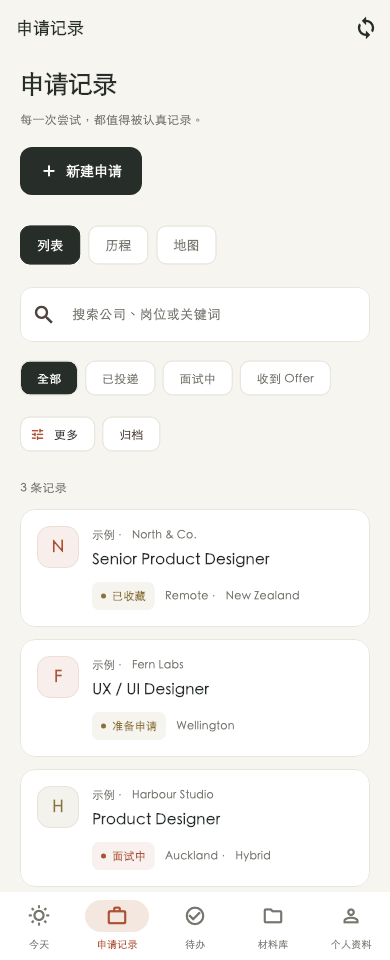
Everything has its place
A considered workspace for the details that matter, from the first saved role to the next conversation.
Roles, companies, stages, contacts and notes stay together. Link CV versions, documents and screenshots to each application.
Schedule interviews from your home or an application. See device-local time by default, or both time zones for a conversation across borders.
Add and edit without a connection. Selected files are saved on your device before uploading. Sync resumes quietly when Loci is active and connected.
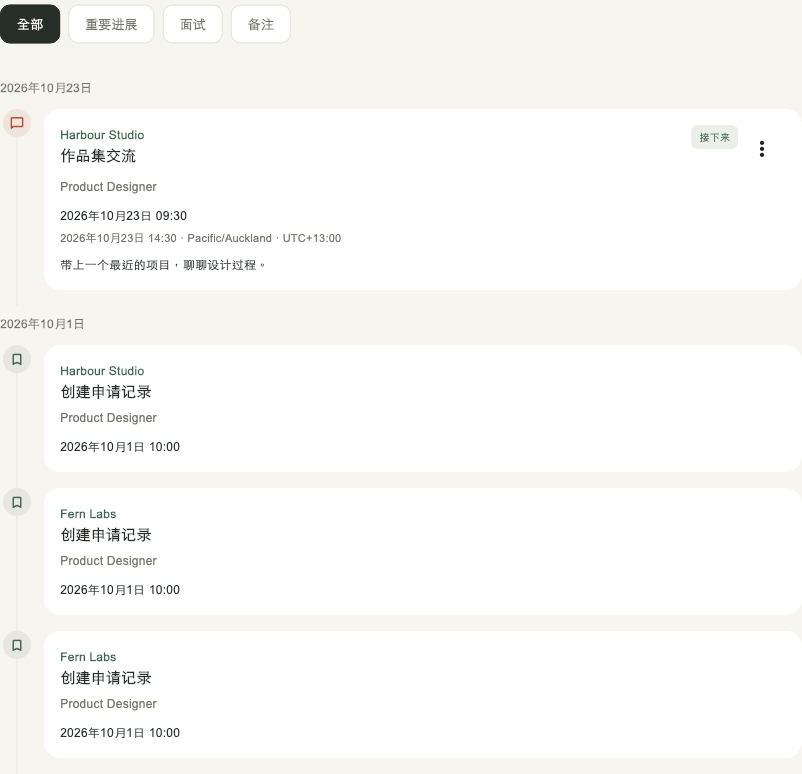
A little perspective
Your journey brings applications, stage changes, interviews and feedback into a timeline. The next step feels clearer when you can see the path behind it.
Different fields can merge across devices. Conflicting edits keep both versions for you to review.
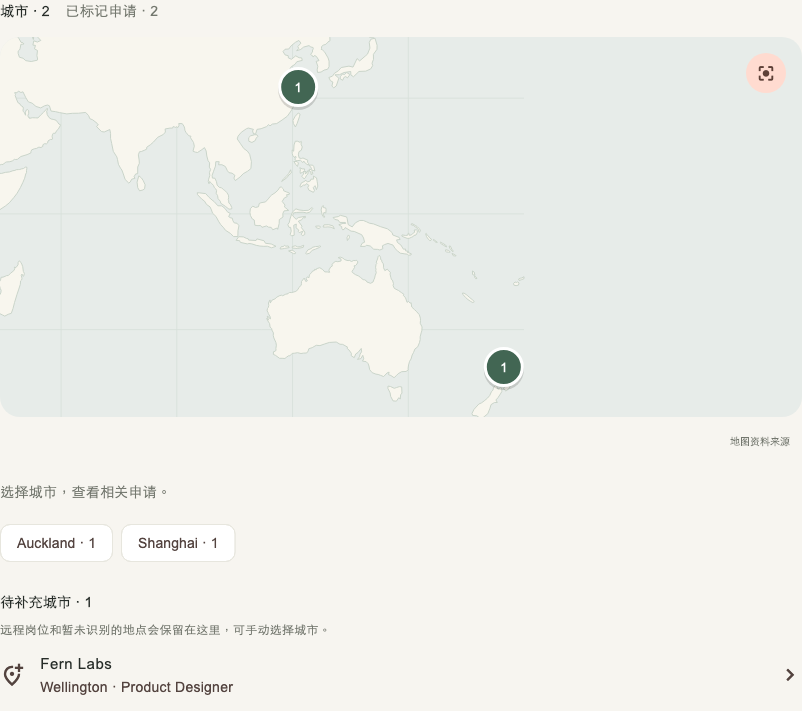
Room for possibility
Explore applications by city. An offline world overview shows where your opportunities are, with city search built into the app.
You choose the application’s city. Loci does not request your GPS location.
Personal, by design
Job searches contain personal details. Loci keeps the controls understandable, from the files you choose to the data you delete.
Read our privacy policy ↗No scanning your photo library. No advertising SDKs or AI processing in Loci.
Delete Loci data while keeping your Yumi account. Deleting the shared Yumi account is a separate, explicit choice.
Export applications as CSV, back up record data as JSON and save original attachments separately.
A few things to know
Yes, after initial sign-in. Your saved records and files stay on the device. You can create and edit offline; syncing runs when the app is active and connected. Initial sign-in, deletion requests and downloading a file that is not cached require a connection.
Loci syncs while it is active and when you return to it. It does not promise continuous uploads while iOS or macOS has suspended or closed the app.
Loci helps you organise your own search. It does not submit applications, make hiring decisions or currently send system interview notifications. Meeting and job links open when you choose them.
Open Profile → Privacy & deletion in Loci, or review the deletion choices. Loci-only deletion keeps your shared identity and other apps unchanged. Shared Yumi account deletion also removes your shared sign-in; other apps retain their own data and you may lose access.
A place for what comes next
Loci is in private preview while we prepare its first public release. Questions or feedback are always welcome.